Athenous
Real-time Analytics
See what’s working while spend is still live
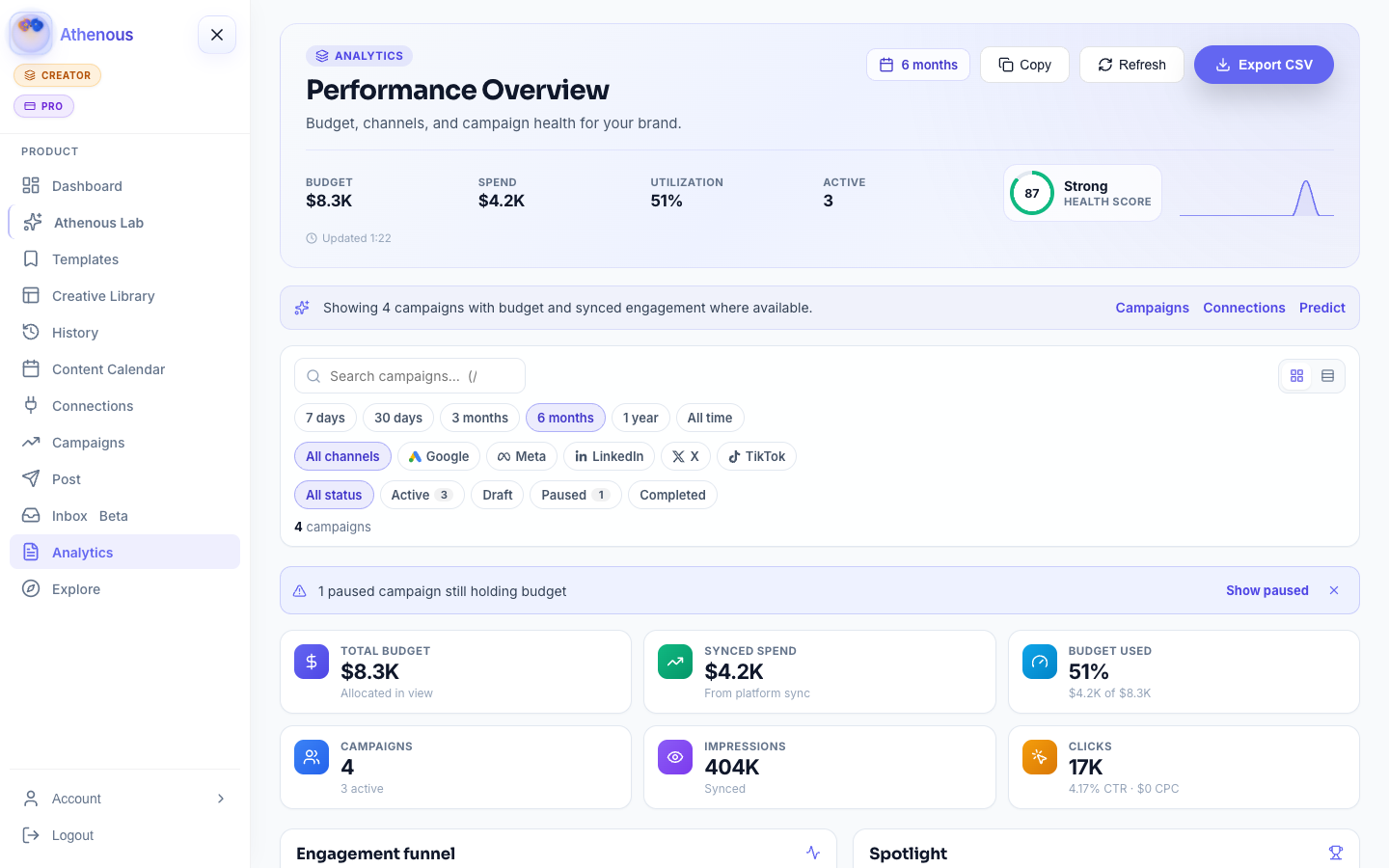
A real-time marketing dashboard for posts and campaigns. Pause weak creatives and keep social and paid numbers in one place.
- Posts & adsOne workspace view
- Live KPIsImpressions, clicks, spend
- Date rangesStandups to client reports
Built for marketers
Signals you can act on today
Clear views for creators, agencies, and stakeholders—not a data warehouse project.
-
Unified performance
Impressions, clicks, conversions, spend, and ROI where campaigns and posts already live.
-
Trends & ranges
Compare channels and periods for daily standups, weekly reviews, or client readouts.
-
Beside publishing
-
Same Connections
Uses the Posts and Ads accounts you already linked—no duplicate OAuth for reporting.
-
Export when you need it
Share or export reports where your plan allows—see pricing for history depth.
-
Feeds the next move
Pairs with budget optimization and Lab tools so insights turn into action.
At a glance
A calm read of the week
KPIs and trends first—so the story is obvious before you dig into a channel.
How it works
From Connections to a live dashboard
Three steps—no separate reporting stack to stand up.
-
Connect accounts
Link Posts and Ads in Connections so metrics have somewhere to pull from.
-
Open Analytics
From the sidebar or Dashboard quick actions—add the module in Explore if it’s missing.
-
Filter & decide
Pick a date range, compare channels, then adjust spend or creative while the flight is still running.
FAQ
Common questions
Where do I open Analytics?
After login, open Analytics from the sidebar (/analytics), or jump in from Dashboard quick actions. Add the Analytics module from Explore if you don’t see it yet. More in Help.
What metrics are shown?
Core views cover impressions, clicks, conversions, spend, and ROI by channel or campaign, plus organic engagement where connected Posts accounts support it.
Can I export data?
Export and share options depend on your plan. Check the app or Help for the latest formats and limits.
Do you support custom metrics?
Core KPIs ship out of the box. Advanced customization may vary by workspace type and plan.
How does Analytics relate to Post and Campaigns?
It sits beside publishing and ads in the same workspace—same Connections, no second BI stack to provision.
Keep going
Related
Athenous
Connect data and start measuring
Sign up free, link your accounts, and fill the dashboard with live performance—not screenshots in a deck.