Creator workflow
A week of hooks without the tool stack.
Draft in Lab, batch the winners on Post, and publish to the profiles you connect—the concrete creator week.
- SparkHook in Lab while it is hot
- BatchSeveral slots on Post
- ShipPublish to connected profiles

The week
Idea, queue, go live
One sitting when inspiration hits—then ship on your schedule.
-
Idea
Open Lab and draft the hook or caption for the channel you care about that day.
-
Queue
Send several results to Post in one sitting. Fill the week while the energy lasts.
-
Go live
Publish each slot to a connected profile. You still pick the time and the account.
Sample week
What lands on the calendar
Real channels. Real statuses. Partner brief stays in-workspace.
- Mon IG Reel Three looks. One room. Scheduled
- Tue TikTok I almost skipped this Draft
- Wed Stories BTS fitting room cut Today
- Thu YouTube Partner soft launch Brief
- Fri LinkedIn Quiet week. Still moved. Scheduled
In the product
Lab drafts. Post holds the week.
Two screens, one workflow—hooks leave Lab and land on the calendar.
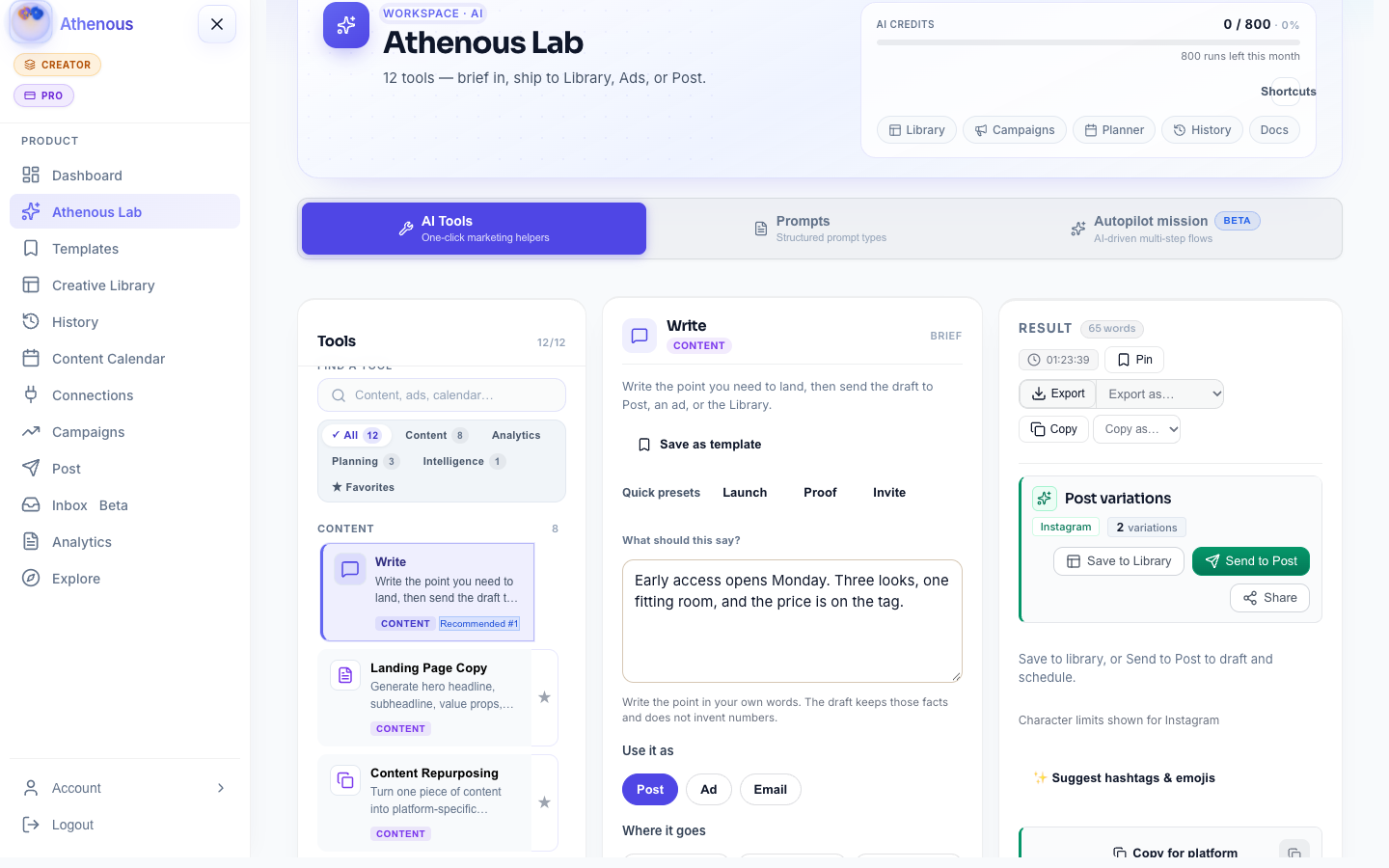
Then send to Post
How it works
From a spark to a published post
Four steps—no second scheduler, no paste between tabs.
-
Connect once
Link Instagram, LinkedIn, X, TikTok, and the other profiles you use in Connections.
-
Draft the line
Run a caption or post tool in Lab. Keep the winners in History.
-
Batch onto Post
Send each result to Post. Stack the calendar for the next few days.
-
Keep partner work in-workspace
When a brand needs drafts on short notice, keep the brief next to the Post slots—not in a buried email thread.
Why this workflow sticks
Ship when inspiration hits
- No paste loopLab sends into Post. Copy does not bounce between tabs.
- Batch on your clockQueue when the ideas arrive, publish when the day is ready.
- One profile linkConnections keep the same accounts ready for every slot.
- Partner-readyBriefs and drafts stay in the workspace before a promo goes live.
Next
The role page, and the product
Questions
Workflow questions
What does a creator week look like?
Draft hooks in Lab when ideas hit, send winners to Post as a batch, then publish each slot to a connected profile.
Do you need a marketing ops stack?
No. Lab, Post, and Connections cover draft, queue, and publish for organic channels without a separate tool for each step.
Where do partner briefs live?
In the same workspace as the drafts. Keep the brief next to the Post slots so you are not hunting email before publish.
Queue the week while the idea is hot
Draft in Lab, batch on Post, and publish to the profiles you already connect.